
Discussion - Member to Member Sales - Research Center
Discussion - Member to Member Sales - Research Center

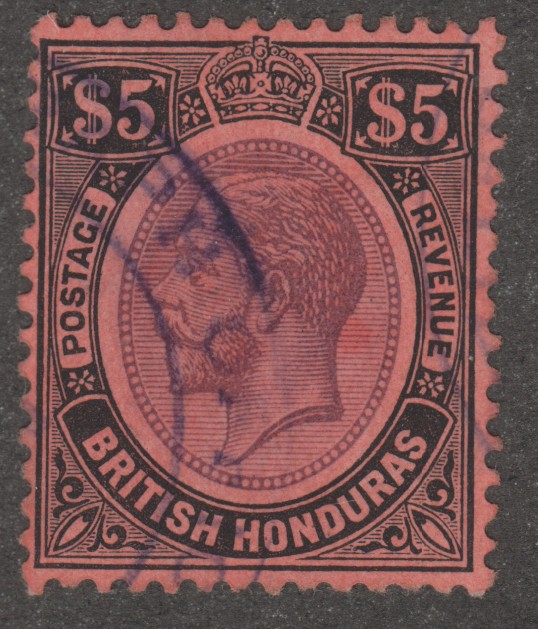
What is it: R249 (consult cat. for basic info)
Where and when did I find it: On ebay this morning
Why am I posting this: For sor members.
My description: Double transfer. Also possible twisted transfer.
See the arrows in the scan, in addition the arrows also point to the Pick up points (PIP)
Double Transfer: See the scan, "E" in FIVE, See "$", there are other indications but difficult to see on scan!
Possible twisted tranfser: This is only 2nd example I've found. I found one many years ago. difficult to see on a scan look for the PIP (white bar below "FIVE HUNDRED DOLLARS), ORIENTATION LEFT TO RIGHT!. Suggest enlarge this and you will see how it's twisted
I'm posting it if any member is interested?
Special note: Position peice see the two straight edges (not PIP). The left vert. pre'd indicate where the tab was located, consult cat. (do not have a tab)
The possible twisted transfer requires more study. Being this is only the second example I've found in 20 years my guess is it's might be rare.
The double transfer is scarce but (my words) not rare.
Does any member have a question?
A big problem, I cannot figure out how to take an image off an ebay image and add arrows (PIP) to it and load it into this posting. eBay item number:146311604094, sorry, if a member could tell me how to do this then I'm make a second posting?
Again sorry

Login to Like
this post


Yes, how did you do this?
Today was the first time I encountered this problem.
Can you add arrows also and if so how would someone like me add arrows and or desscription words on the EbaY IMAGE?
I got my posting words all done, then realized I could't add arrows etc, to the ebay image?
Don't want to waste your time!
Login to Like
this post
OK with the help of vinman I'm able to post the ebay image with the PIPs as stated in my OP!
Questions?
Again sorry for all of this.
Could somebody show or explain how to add arrows and words to an ebay image? Using vinman image no problem adding the PIPs and words.

1 Member
likes this post.
Login to Like.

07:03:18pm
I very rarely do that sort of thing but when I do I use a program called Paint which comes with Microsoft Windows. It is very easy and if your computer has this program I will give instructions.
Login to Like
this post
Please I do have paint on my computer, if you don't mind give me instructions and I'll practice it!
Login to Like
this post
09:03:45pm
I'll put a set of instructions together tomorrow afternoon! Almost bedtime now!!!
Login to Like
this post
As mentioned in the OP here (see scan) here is an example of the tab, same orientation but different series.

2 Members
like this post.
Login to Like.
02:45:26pm
I will try to explain how to use Paint to insert arrows but it might depend on your version of Windows. I am back in the dark ages using Windows 7!
First I would make sure the document you want to put arrows in is on your computer where you can get at it.
Then go into Paint and open that file from Paint. That would probably involve choosing "open" and putting in the name of the file and choosing "open" again.
My version of Paint would now be showing an area with a bunch of different shapes including arrows in all directions - up, down, left and right.
Choose the one you want. You can also change the width of the outline, it's colour and whether you want it filled.
Go inside the document and click and drag the arrow to give it the size you want.
If you fool around a bit you can add text as well. It basically means fooling around with the program until you get what you want. When that happens just exit the program. It will ask you if you want to save the changes. If you do then you might have to rename the file or you will lose the original version. That's your choice of course. Just go in and experiment a bit.
I hope this helps a bit. If not I bet you can find a video on line that would show you exactly what to do!
Good luck and I hope this makes sense!
2 Members
like this post.
Login to Like.
Harvey
Thank you and I play with it so I become comfortable with it.
By the way I also have Windows 7 computer. I just bought it a year ago to replace another windows 7 from way back.
Again thank you for your time and effort.
3 Members
like this post.
Login to Like.

I'm not an expert!
What is it: R249 (consult cat. for basic info)
Where and when did I find it: On ebay this morning
Why am I posting this: For sor members.
My description: Double transfer. Also possible twisted transfer.
See the arrows in the scan, in addition the arrows also point to the Pick up points (PIP)
Double Transfer: See the scan, "E" in FIVE, See "$", there are other indications but difficult to see on scan!
Possible twisted tranfser: This is only 2nd example I've found. I found one many years ago. difficult to see on a scan look for the PIP (white bar below "FIVE HUNDRED DOLLARS), ORIENTATION LEFT TO RIGHT!. Suggest enlarge this and you will see how it's twisted
I'm posting it if any member is interested?
Special note: Position peice see the two straight edges (not PIP). The left vert. pre'd indicate where the tab was located, consult cat. (do not have a tab)
The possible twisted transfer requires more study. Being this is only the second example I've found in 20 years my guess is it's might be rare.
The double transfer is scarce but (my words) not rare.
Does any member have a question?
A big problem, I cannot figure out how to take an image off an ebay image and add arrows (PIP) to it and load it into this posting. eBay item number:146311604094, sorry, if a member could tell me how to do this then I'm make a second posting?
Again sorry
Login to Like
this post
re: R249 with Double Transfer and Twisted Transfer
Yes, how did you do this?
Today was the first time I encountered this problem.
Can you add arrows also and if so how would someone like me add arrows and or desscription words on the EbaY IMAGE?
I got my posting words all done, then realized I could't add arrows etc, to the ebay image?
Don't want to waste your time!
Login to Like
this post
re: R249 with Double Transfer and Twisted Transfer
OK with the help of vinman I'm able to post the ebay image with the PIPs as stated in my OP!
Questions?
Again sorry for all of this.
Could somebody show or explain how to add arrows and words to an ebay image? Using vinman image no problem adding the PIPs and words.
1 Member
likes this post.
Login to Like.
Back when I had a bunch! I think, therefore I am - I think! Descartes, sort of!
09 Jan 2025
07:03:18pm
re: R249 with Double Transfer and Twisted Transfer
I very rarely do that sort of thing but when I do I use a program called Paint which comes with Microsoft Windows. It is very easy and if your computer has this program I will give instructions.
Login to Like
this post
re: R249 with Double Transfer and Twisted Transfer
Please I do have paint on my computer, if you don't mind give me instructions and I'll practice it!
Login to Like
this post
Back when I had a bunch! I think, therefore I am - I think! Descartes, sort of!
09 Jan 2025
09:03:45pm
re: R249 with Double Transfer and Twisted Transfer
I'll put a set of instructions together tomorrow afternoon! Almost bedtime now!!!
Login to Like
this post
re: R249 with Double Transfer and Twisted Transfer
As mentioned in the OP here (see scan) here is an example of the tab, same orientation but different series.
2 Members
like this post.
Login to Like.
Back when I had a bunch! I think, therefore I am - I think! Descartes, sort of!
10 Jan 2025
02:45:26pm
re: R249 with Double Transfer and Twisted Transfer
I will try to explain how to use Paint to insert arrows but it might depend on your version of Windows. I am back in the dark ages using Windows 7!
First I would make sure the document you want to put arrows in is on your computer where you can get at it.
Then go into Paint and open that file from Paint. That would probably involve choosing "open" and putting in the name of the file and choosing "open" again.
My version of Paint would now be showing an area with a bunch of different shapes including arrows in all directions - up, down, left and right.
Choose the one you want. You can also change the width of the outline, it's colour and whether you want it filled.
Go inside the document and click and drag the arrow to give it the size you want.
If you fool around a bit you can add text as well. It basically means fooling around with the program until you get what you want. When that happens just exit the program. It will ask you if you want to save the changes. If you do then you might have to rename the file or you will lose the original version. That's your choice of course. Just go in and experiment a bit.
I hope this helps a bit. If not I bet you can find a video on line that would show you exactly what to do!
Good luck and I hope this makes sense!
2 Members
like this post.
Login to Like.
re: R249 with Double Transfer and Twisted Transfer
Harvey
Thank you and I play with it so I become comfortable with it.
By the way I also have Windows 7 computer. I just bought it a year ago to replace another windows 7 from way back.
Again thank you for your time and effort.
3 Members
like this post.
Login to Like.